
Maximize Claude Without Hitting Limits


I’ve been using Claude for some months now. The pro version.
But to be honest, for the last month, I’ve been feeling like this company is just looting me or may all of us. I sent 3 queries in 3 different context windows; as a result, I reached my usage limit for that time. Now, I have to wait for the next 5 fuc*ing hours to again continue on that project, which I scheduled to work on at that point of time.
Of course you guys might have heard the news that it’s true; the quality of response also decreased from last month. Boris also agreed & posted this yesterday.


I will write in this article about what I have been following after reading and watching lots of videos.
You know that when you sent the 10th message to Claude, it cost 11 times more than your first one. Not because of pricing; it’s because Claude re-reads your entire conversation history from scratch before generating every single reply.
Understanding why this happens is the first step to stopping it.

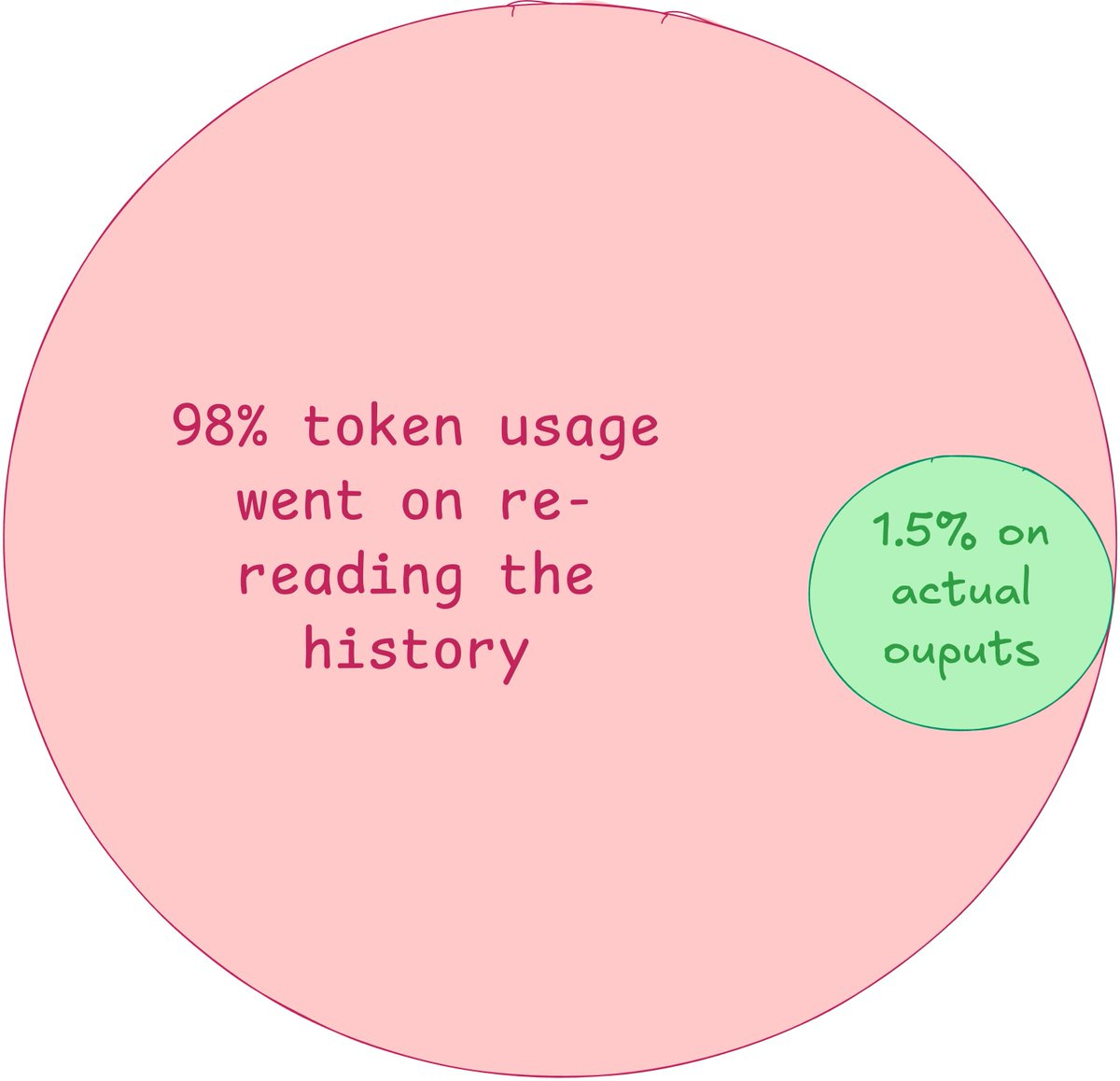
There is a developer named Aniket Parihar who shared a post where he tracked real usage and found 98.5% of tokens went to re-reading old history and only 1.5% to the actual response. For every 100 tokens spent, one and a half are doing useful work. The rest is the model reprocessing things it already knows.
Here are some rules to follow...
1. Don’t follow up, edit instead
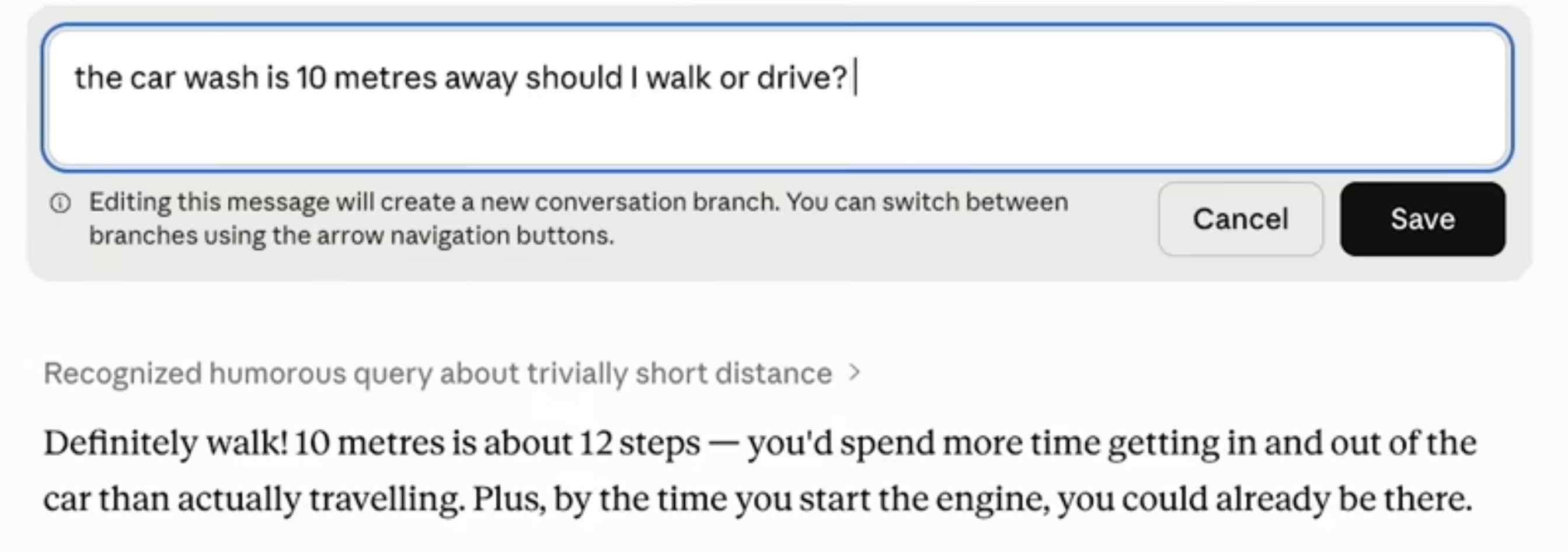
When Claude gets something wrong, the instinct is to send a correction as a new message. Every correction you send appends to the conversation, & Claude loads all of it again next turn. Five messages deep puts you at ~7,500 tokens just for context.
Instead, click “edit” on your original message, fix the wording, and hit “regenerate.” The flawed exchange is replaced, not stacked. Same result, a fraction of the cost.
Why does it work?
LLMs like Claude use attention mechanisms that process every token in the context window at each generation step.
Longer context = quadratically more compute. Replacing a bad exchange eliminates it from future attention passes entirely, unlike a correction, which adds to the pile.
2. Start a fresh chat every 15–20 messages
A 100-message thread burns over 2.5 million tokens, almost all of it reloading history you no longer need. When a conversation gets long, ask Claude to summarize everything, copy that summary, open a new chat, and paste it as your first message.
You keep the relevant context. You shed all the resolved back-and-forth, early attempts, and dead ends that are still sitting in the pipeline, costing you money every turn.
Why does it work?
Context windows are fixed-size buffers. Every token of old conversation competes directly with new output space. A clean summary carries maybe 400 tokens of distilled knowledge vs. 50,000+ tokens of raw history. It’s not compression; it’s knowing what actually matters.
3. Batch your questions into one message
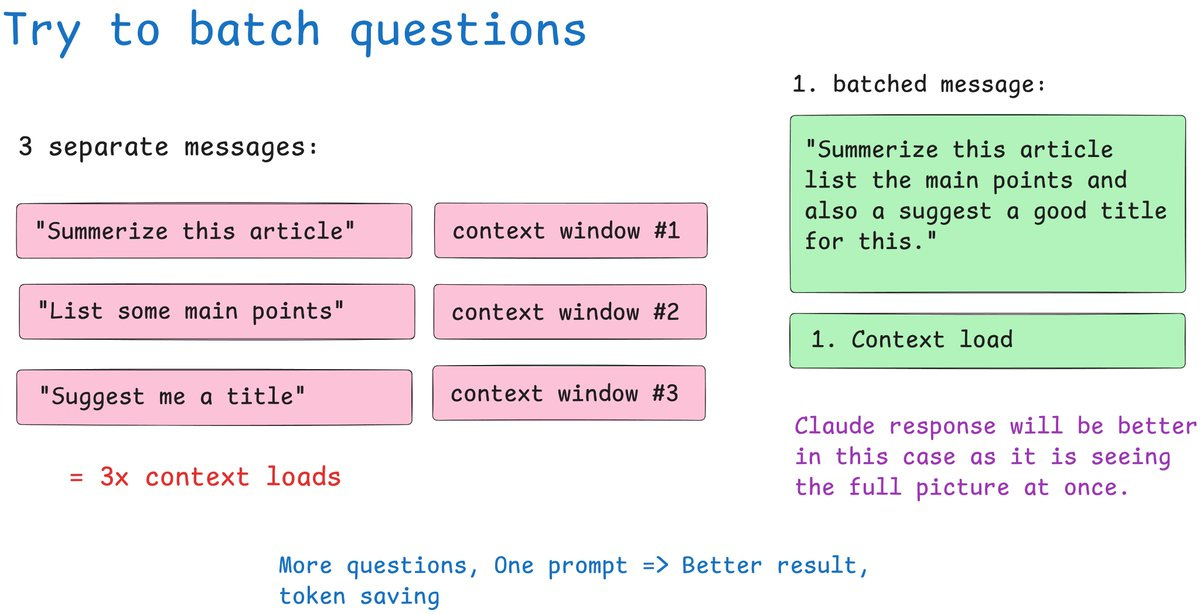
Three questions sent separately equals three full context reloads. One message with three tasks equals one reload. You save tokens twice: fewer context loads, and you stay further from your session limit with the same amount of work done.
Instead of “Summarize this” → “Now list the main points” → “Suggest a headline,” write “Summarize this, list the main points, and suggest a headline.” The answers are often better too. Claude sees the full intent before it starts writing.
Why does it work?
Each turn in an LLM conversation is a complete, stateless inference pass. There’s no “memory“ between messages; the model literally rereads everything. Batching collapses three inference passes into one, and the model can cross-reference all tasks simultaneously during generation rather than treating them as isolated requests.
4. Track your actual token usage
Claude’s UI shows a vague progress bar. That’s it. But if you use Claude Code, every session logs detailed JSONL files to your local machine: input tokens, output tokens, cache reads, cache creation, model names, timestamps, all of it.


He built a free, open-source Python dashboard that reads those files, builds a local database, and serves charts at localhost. You can filter by model, by time range, and see cost estimates based on current API pricing. You can’t fix what you can’t measure.
Github repo:
https://github.com/phuryn/claude-usage
5. Upload recurring files to projects
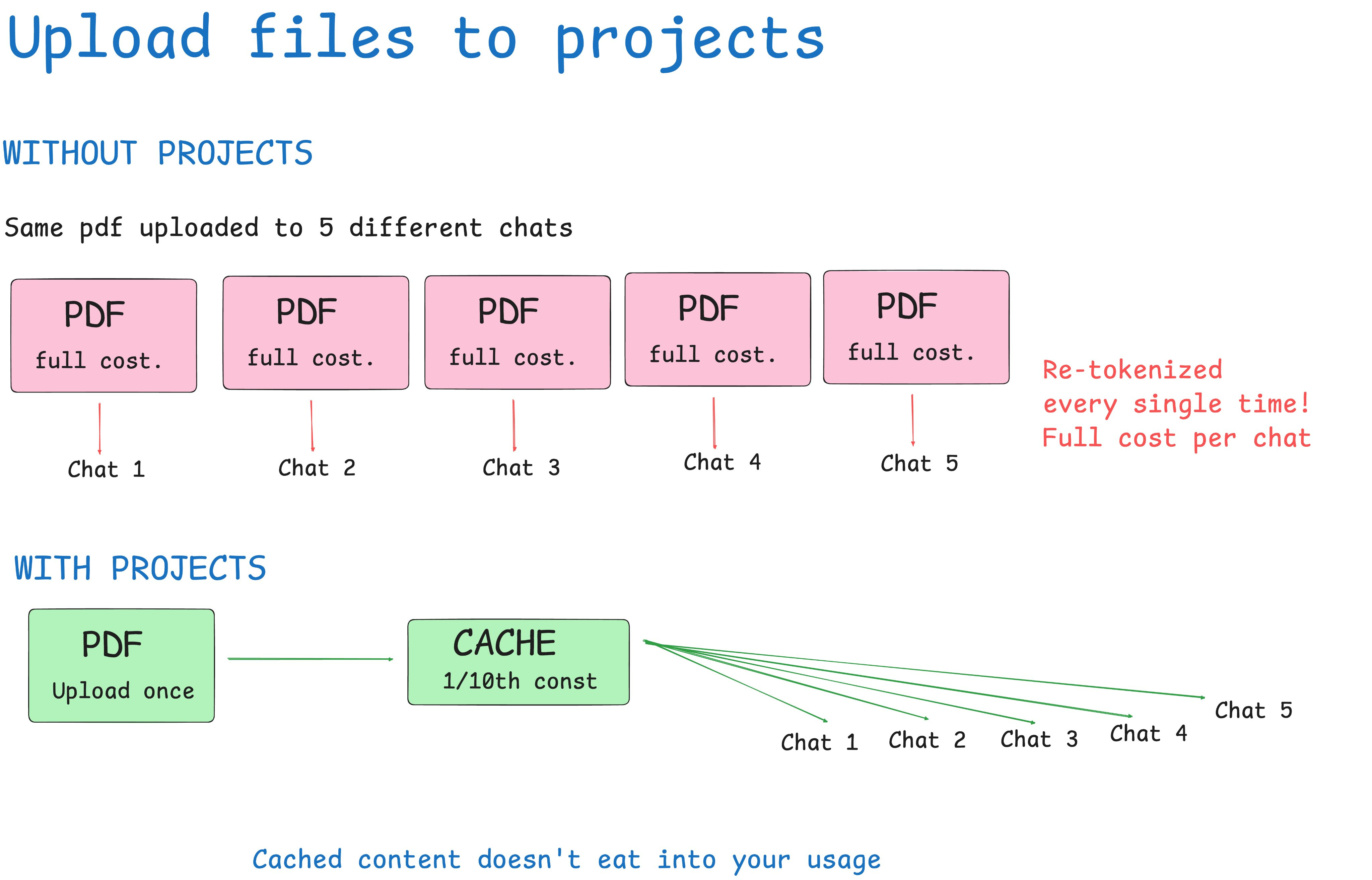
Uploading the same PDF to multiple chats re-tokenizes that document every single time. A 30-page contract might be 15,000 tokens. Upload it five times across five sessions and you’ve burned 75,000 tokens just loading a file. Claude has already seen.
The Projects feature caches uploaded content. Every conversation inside that project references the file without burning new tokens. For style guides, contracts, codebases, or any recurring reference material, this is one of the highest-leverage changes you can make.
Why does it work?
Anthropic uses prompt caching for project-level content; the KV (key-value) cache stores the computed attention states for those tokens. On subsequent reads, the model retrieves from cache instead of recomputing. Cache reads cost roughly 10% of full token processing, and in Claude’s pricing, cache reads are significantly cheaper than input tokens.
6. Save your context in memory once
Without saved preferences, most people spend 3–5 messages per new chat re-establishing context: their role, their writing style, what they’re working on. That’s 500–800 tokens gone before the actual work starts, repeated across every session.
Go to Settings → Memory and User Preferences.
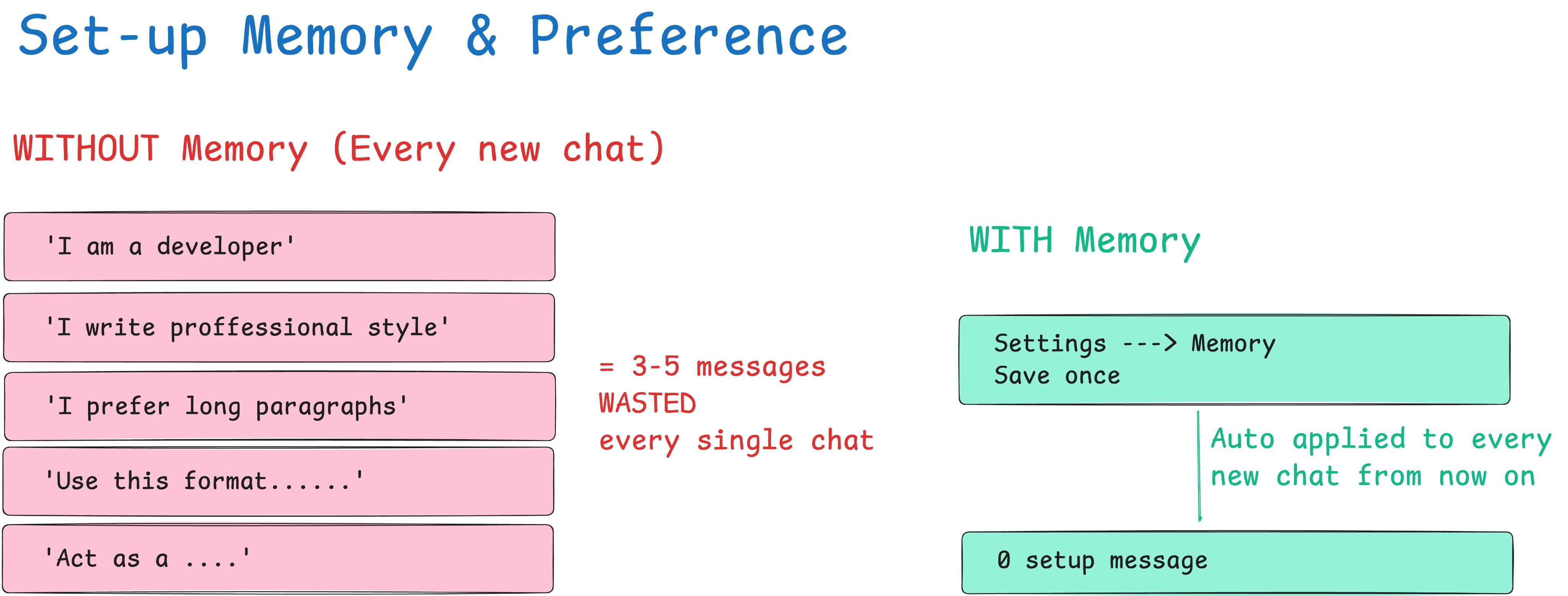
Save your role, communication style, output format preferences, and any recurring project context once. Claude automatically pulls this into every new chat, and you skip the warmup tax entirely.
7. Turn off features you’re not actively using
Web search, connectors, and extended thinking all add overhead to every response, whether you’re using them or not. Web search adds retrieval scaffolding tokens. Extended thinking adds a chain-of-thought block before every reply. These costs compound across the session.
Keep everything off by default. Enable web search when you need current information. Enable extended thinking only when your first attempt was genuinely unsatisfactory. If you didn’t turn it on with intention, turn it off.
8. Match the model to the task
Using Opus to check grammar is like renting a freight truck to buy groceries. Haiku handles simple tasks like formatting, translation, quick answers, and brainstorming at a fraction of the cost. Choosing the right model is the highest-leverage decision you make each day.
Haiku: (Low Cost) Drafts, formatting, grammar, quick lookups, translations
Sonnet: (Medium Cost) Production output, code, analysis, complex writing
Opus: (High Cost) Hard reasoning, multi-step logic, nuanced judgment
9. Spread your work across the day
Claude does not reset at midnight. It uses a rolling 5-hour window. Messages sent at 9 a.m. no longer count toward your limit by 2 p.m. If you burn through your entire budget in one morning session, you’re wasting the afternoon capacity that would have been available had you paced yourself.
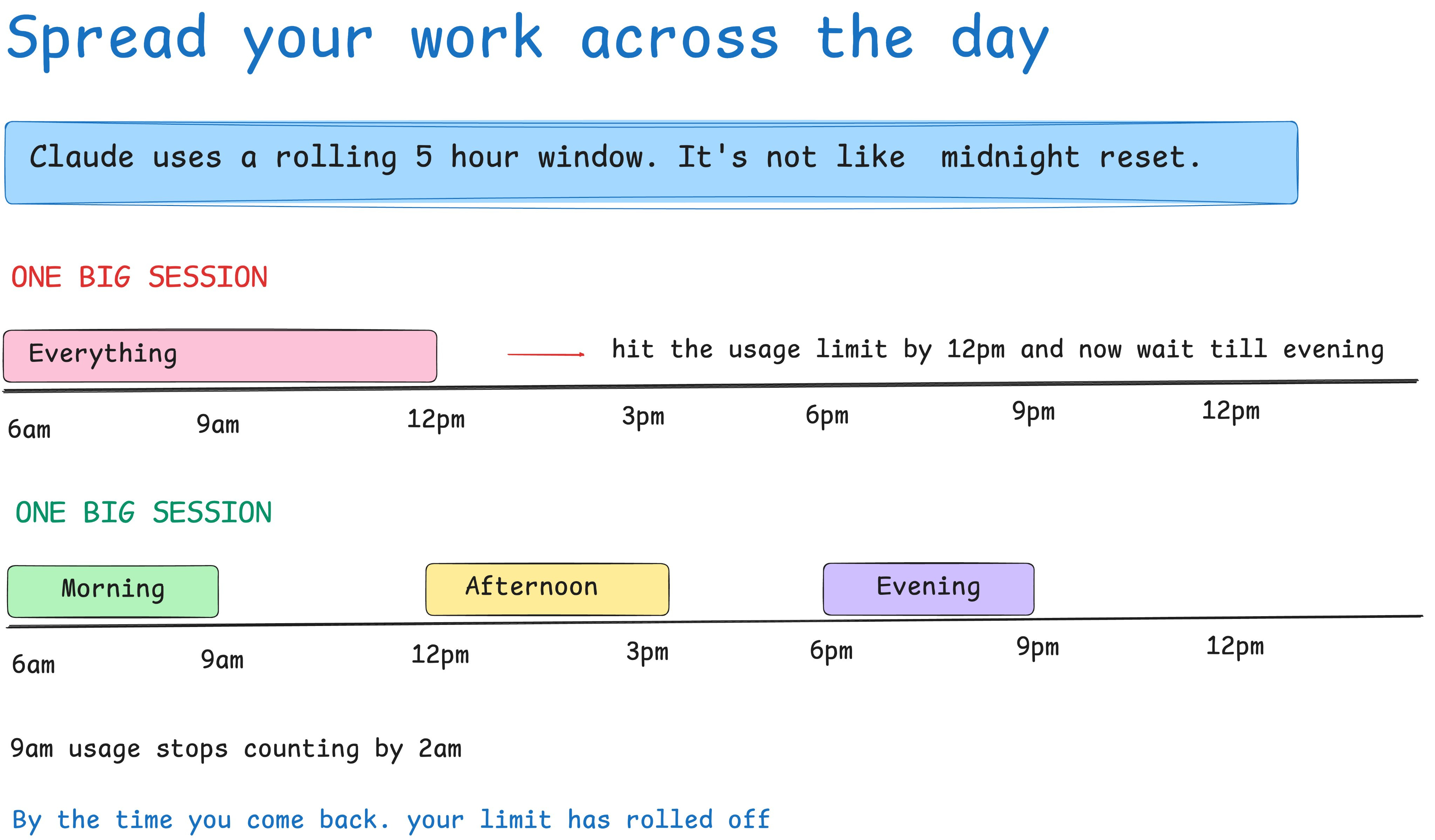
Splitting into two or three sessions in the morning, midday, & evening. Lets each window partially expire before you start the next, keeping you well below the ceiling throughout the day.
10. Work during off-peak hours
Since March 26, 2026, Anthropic has depleted your 5-hour session limit faster during peak hours. The same query, the same chat, but during peak, it hits your limit harder. Your weekly total stays the same; how quickly it drains changes.
Pacific time: 5:00 am – 11:00 am – Weekdays only
Eastern time: 8:00 am – 2:00 pm – Weekdays only
Running intensive tasks in the evenings, on weekends, or during off-peak hours stretches your plan significantly. If you’re outside the US, Latin America, Asia, or Australia, your off-peak windows may fall during your morning, which is actually ideal. Here is the proof to it:

That’s it...
Hopefully you found it helpful. If you know something more, add it in the comment section. Would love to explore and see the result.
Thanks for reading this.
 | A guest post by
|