
Claude Code’s Hidden Commands

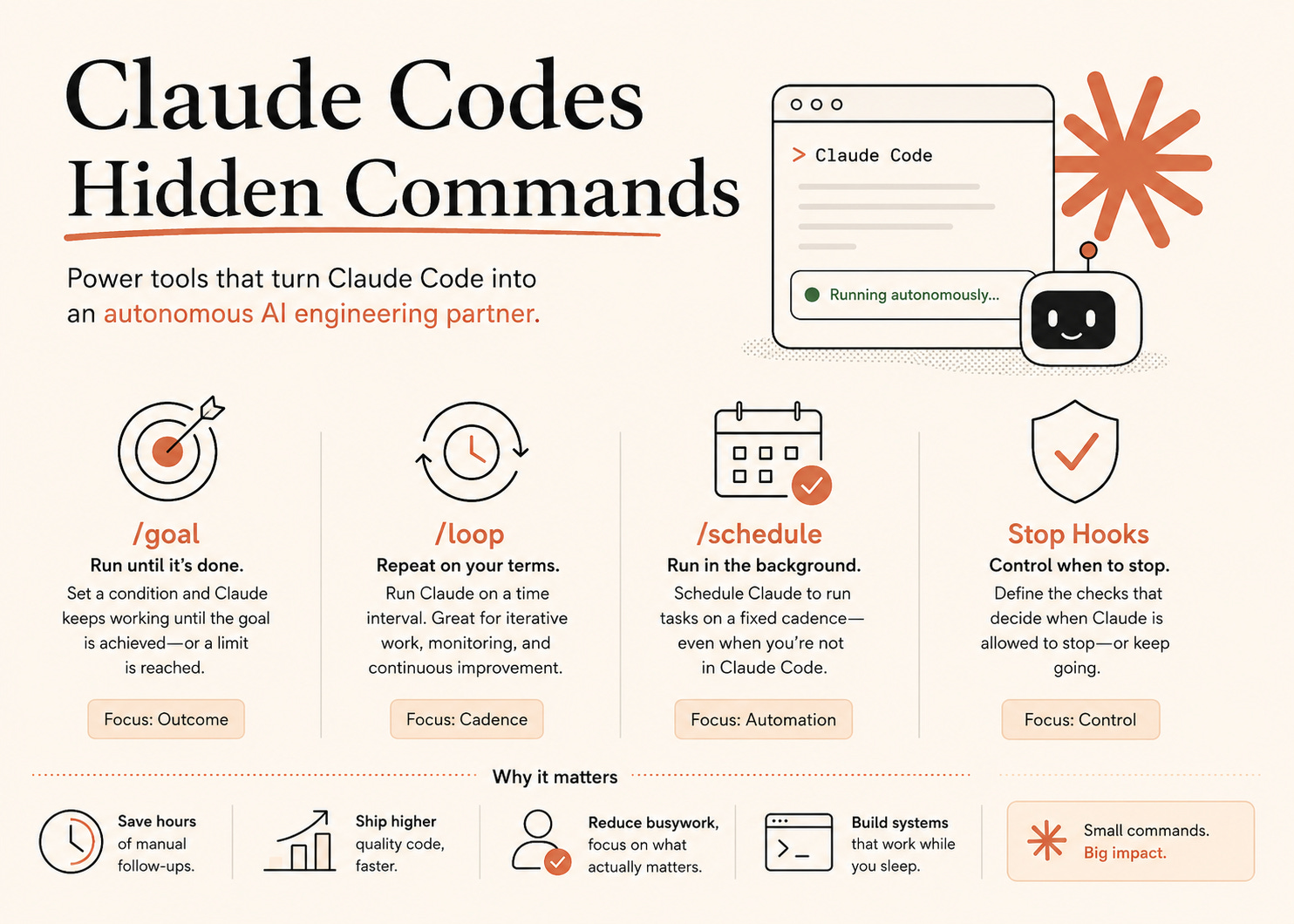
Most people use Claude Code like a smart assistant.
Prompt.
Wait.
Review.
Prompt again.
Over and over.
But there’s another way to use it, where Claude keeps working on it on its own until the task is actually finished.
That’s what these 4 commands unlock:
/goal/loop/scheduleStop Hooks
Once you understand them, Claude stops feeling like a chatbot and starts behaving more like an autonomous engineering partner.
The Big Shift
Traditional workflow looks like this:
You ask → Claude answers → you review → you ask again.
You’re managing every step manually.
With autonomous workflows, the flow changes completely:
You define the outcome once → Claude keeps working → checks progress automatically → stops only when the condition is met.
You stop babysitting the process.
1. /goal — The Most Important Command
/goal is what turns Claude into a self-running agent.
Instead of giving step-by-step instructions, you define the final condition.
Example:
/goal all auth tests pass and lint returns zero errorsClaude starts working immediately.
After every turn, a lightweight evaluator checks whether the condition is satisfied.
If not, Claude continues automatically.
You don’t need to keep prompting.
Why This Changes Everything
Normally:
You notice failing tests
You ask Claude to fix them
You rerun things
You paste errors back
Repeat 15 times
With /goal:
Claude keeps iterating until the condition is true.
It behaves more like:
“Keep working until this system is fixed.”
That’s a massive mindset shift.
Writing Good Goals
The secret is making goals measurable.
Good goals:
“All tests in
test/authpass”“
npm run lintexits successfully”“No unrelated files are modified”
Bad goals:
“Improve the code”
“Make it cleaner”
“Do your best”
If the result cannot be verified clearly, the evaluator can’t reliably stop.
Simple rule:
If Claude cannot prove completion through the transcript, rewrite the condition.
Always Add Limits
Some tasks may never fully complete.
That’s why limits matter.
Examples:
/goal fix checkout tests, or stop after 10 turns/goal complete migration, or stop after 30 minutesWithout limits, Claude may loop forever trying to satisfy an impossible condition.
Fully Autonomous Mode
This is where things become powerful.
Combine:
/goalAuto Mode
Test-based Stop Hooks
Now Claude:
edits code
runs tests
reads failures
retries automatically
No human needed between iterations.
You come back later to:
a green build
or a clear explanation of why it failed
That’s incredibly close to a real autonomous coding agent.
2. /loop
/loop is different from /goal.
/goal says:
“Keep working until this becomes true.”
/loop says:
“Repeat this work every few minutes.”
Useful for:
iterative refactors
backlog cleanup
monitoring tasks
repeated checks
gradual improvements
Example mindset:
Claude makes a pass → pauses → makes another pass later.
It’s continuous iteration instead of one long execution.
3. /schedule
This one feels almost like infrastructure.
/schedule lets Claude run tasks on a fixed cadence — even when Claude Code isn’t open.
Examples:
nightly test runs
morning issue triage
weekly dead-code cleanup
daily engineering summaries
Instead of manually remembering operational tasks, Claude handles them automatically.
That’s the difference between:
using AI occasionally
vs
building AI into your workflow itself.
4. Stop Hooks
Stop hooks decide whether Claude is allowed to stop.
This is what powers /goal internally.
There are two types:
Script-based Hooks
These run actual checks:
test suites
CI validation
database checks
file existence checks
If the script exits successfully → Claude stops.
If not → Claude keeps trying.
This is where true automation starts happening.
Prompt-based Hooks
These evaluate natural-language conditions using the conversation transcript.
Very similar to /goal, but reusable across sessions.
Use them when you want the same evaluation logic everywhere.
The Most Powerful Combination
The real magic stack is:
/goal + Auto Mode + Script-based Stop HooksNow the loop becomes:
Claude writes code → tests run automatically → failures return → Claude retries.
No manual supervision required.
That’s the closest thing today to an AI engineer working independently inside your workflow.
Thanks for reading this article. Appreciated. Comments and suggestions are welcome.
Support the author here, If you found this blog helpful.
If you’d like to chat 1:1, you can book a call with me here.
Follow me on socials for more updates, behind-the-scenes work, and personal insights:
 | A guest post by
|